
For IT decision makers, selecting customer service AI software is only the beginning. What happens between signing the contract and having a fully functioning, stable system on your production environment is where most implementation projects either succeed or quietly go off the rails. The gap between “we bought the software” and “it’s working as expected” is wider than most teams anticipate.
Vendor sales cycles tend to focus on features, pricing, and integration promises. What they cover less thoroughly is the realistic timeline, the internal resources required at each phase, and the specific points where projects most commonly stall. If your team is preparing to implement customer service AI software, having a clear picture of the full lifecycle, not just the deployment step, makes the difference between a smooth rollout and a frustrating one.
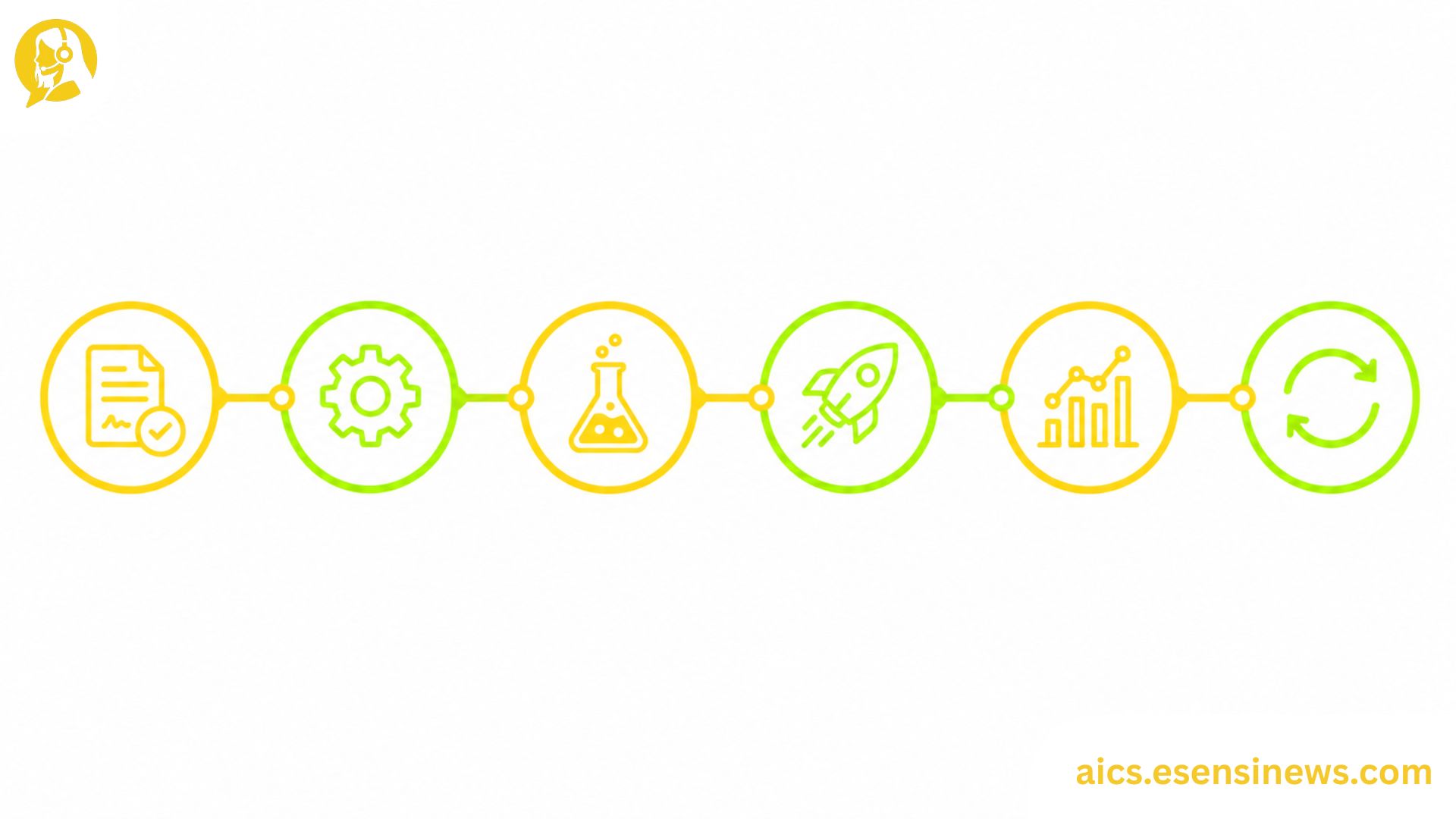
This guide walks through the six phases of a typical customer service AI software implementation, what each phase actually involves, and how to avoid the most common sticking points along the way.
Why Implementation Planning Matters as Much as Software Selection
A common pattern in enterprise software is that organizations spend months carefully evaluating options and then rush through implementation once a decision is made. With customer service AI software specifically, this creates real problems. Unlike simpler tools, AI systems require training data, configuration, integration work, and testing before they perform at the level shown during the sales demo.
The teams that navigate this well tend to treat implementation planning as a parallel workstream to vendor evaluation, starting to sketch out the implementation approach before the contract is signed rather than after.
Phase 1: Contract and Kickoff
What Happens Here
This phase is more than legal and administrative. A well-structured kickoff with your vendor should establish implementation timeline expectations, resource commitments from both sides, escalation paths for technical issues, and access to the implementation documentation and support team that will actually do the work, not the sales team that closed the deal.
Common Sticking Points
- Assuming the sales team’s timeline promises reflect the implementation team’s actual capacity
- Not clarifying which internal resources are required and when
- Skipping a detailed review of the data processing agreement before signature
Key Deliverables
Signed contract, implementation project plan with milestones, identified internal project lead, and confirmed access to vendor implementation support.
Phase 2: Environment Setup and Integration
What Happens Here
This is where customer service AI software connects to your existing systems: your helpdesk, CRM, telephony infrastructure, and any other platforms the AI needs to access. For most organizations, this is the phase that most frequently runs longer than expected.
Integration complexity varies significantly depending on how modern or legacy your existing tech stack is. Modern, API-first systems integrate relatively smoothly. Older telephony infrastructure or on-premise CRM systems can require significant custom work.
Common Sticking Points
- Legacy systems that weren’t fully documented during vendor evaluation
- Internal IT resource availability competing with other projects
- Access provisioning delays, particularly for systems with strict security review processes
Key Deliverables
Functioning sandbox environment, confirmed data connections to required systems, and basic smoke testing confirming core integrations are stable.
Phase 3: Training Data and Configuration
What Happens Here
This is where the AI gets shaped for your specific environment. For most customer service AI software, this means providing training data, configuring conversation flows, setting escalation triggers, and defining the tone and language the system will use.
The quality of this phase directly determines how well the software performs at go-live. Under-investing in training data or configuration typically shows up as inaccurate responses, premature escalations, or a system that handles demo scenarios well but struggles with real customer language.
Common Sticking Points
- Not having enough real conversation data readily available for training
- Configuration decisions made without input from frontline agents who know actual customer language patterns
- Assuming vendor defaults are good enough without reviewing them against your specific use cases
Key Deliverables
Trained AI models for target use cases, configured conversation flows, defined escalation triggers, and internal sign-off on tone and language guidelines.
Phase 4: User Acceptance Testing
What Happens Here
UAT is where real stakeholders, including agents and supervisors, interact with the configured system before it goes live. This phase should include both structured test cases covering expected scenarios and unstructured testing where participants try to break the system with edge cases and unexpected inputs.
Common Sticking Points
- UAT scheduled too close to the go-live date, leaving insufficient time to fix issues discovered during testing
- Test participants not representing the full range of user types and experience levels
- Focusing UAT only on “happy path” scenarios rather than edge cases and failure modes
Key Deliverables
Completed UAT test plan, documented issues and their resolution status, formal sign-off from operations and IT stakeholders.
Phase 5: Go-Live and Stabilization
What Happens Here
A staged go-live — rolling out to a limited user group or call volume before full deployment — is almost always worth the extra coordination effort. Full floor launches that immediately encounter unexpected issues create much more disruption than controlled rollouts where problems are contained early.
The first two to four weeks post-launch should be treated as a stabilization period, with heightened monitoring, rapid response to issues, and daily check-ins between technical and operations teams.
Common Sticking Points
- Launching to full volume immediately without a staged approach
- Reducing monitoring too quickly once initial go-live appears smooth
- Not having a rollback plan documented before the launch date
Key Deliverables
Go-live completed for initial scope, stabilization monitoring in place, identified issues logged and prioritized, rollback plan documented.
Phase 6: Post-Launch Optimization
What Happens Here
This is the phase that separates implementations that deliver compounding value from those that plateau. Post-launch optimization involves reviewing real performance data, identifying gaps between expected and actual behavior, collecting agent and customer feedback, and iteratively improving the system over time.
Most customer service AI software requires meaningful optimization work in the first three to six months before it reaches its full performance potential. Treating go-live as the finish line instead of the starting line is one of the most common reasons AI implementations underdeliver on their original business case.
Common Sticking Points
- No defined owner for ongoing optimization after the implementation project closes
- Budget allocated for deployment but not for post-launch improvement
- Measuring only headline metrics rather than the specific areas where the system is underperforming
Key Deliverables
Regular performance review cadence established, optimization backlog maintained, defined owner for ongoing system improvement.
Pros and Cons of a Phased Implementation Approach
Pros ✅
- Surfaces integration issues early, before they compound into larger problems
- Gives agents and supervisors time to adapt, rather than overwhelming them at go-live
- Creates checkpoints for course correction, so small problems don’t become large ones
- Generates stakeholder confidence through visible progress at each phase
- Sets up post-launch optimization as a natural continuation rather than an afterthought
Cons ❌
- Takes longer than a single-phase deployment, which can create pressure from stakeholders expecting faster results
- Requires sustained internal resource commitment across an extended project timeline
- Each phase creates additional coordination overhead between internal teams and the vendor
- May feel slow compared to the urgency that often follows a major software purchase
Practical Tips for a Smoother Implementation
- Designate a dedicated internal implementation owner from day one, separate from the person who led vendor selection.
- Negotiate post-launch optimization support into the contract before signing, not after go-live when leverage is gone.
- Plan UAT earlier than feels necessary. Most teams discover they need more time than planned.
- Document your rollback process before go-live, not during a production incident.
- Budget explicitly for the first six months of post-launch optimization, including internal staff time.
Common Mistakes IT Teams Make During Implementation
- Rushing from contract to go-live without adequate training data preparation or UAT
- Treating vendor implementation support as project management, rather than as technical expertise that still needs internal coordination
- Skipping a staged go-live to meet internal deadline pressure
- Closing the implementation project at go-live, leaving no ownership for post-launch optimization
- Under-resourcing the integration phase, which is almost always more complex than initial estimates suggest
FAQ: Customer Service AI Software Implementation
1. How long does implementing customer service AI software typically take? Most implementations take between two and six months from contract to stable go-live, depending on integration complexity and the scope of AI capabilities being deployed.
2. What internal resources are needed during implementation? Typically an IT project lead, integration engineers, an operations stakeholder for configuration input and UAT, and ongoing involvement from frontline agents and supervisors during testing.
3. What’s the most common cause of implementation delays? Integration complexity, especially with legacy systems, and insufficient preparation time for training data and configuration are the most frequent culprits.
4. Is UAT really necessary for customer service AI software? Yes. Customer language is unpredictable, and UAT with real users consistently surfaces issues that structured technical testing misses.
5. What should happen in the first 90 days after go-live? Heightened performance monitoring, rapid response to issues, collection of agent and customer feedback, and the beginning of iterative optimization based on real production data.
6. Who should own post-launch optimization? A defined internal owner, typically from the IT or operations team, should be assigned before go-live with explicit responsibility and budget for ongoing improvement.
7. Can implementation be done without vendor professional services? It depends on the software and your internal capabilities. Some platforms are designed for self-service implementation, while others require vendor-led deployment, particularly for complex integrations.
Conclusion
Selecting customer service AI software is important, but it’s the implementation lifecycle that determines whether that investment actually delivers on its promise. Each of the six phases carries specific risks and requires specific deliverables, and the teams that plan for all of them, including post-launch optimization, consistently get better results than those who treat go-live as the finish line.
The takeaway? Build your implementation plan before the contract is signed, not after. Budget for post-launch optimization from day one, and treat the stabilization period with the same seriousness as the go-live itself. That’s how customer service AI software turns from a promising investment into a durable operational improvement.
Ready to Plan Your Implementation?
If this guide gave you a clearer picture of what’s ahead, start building your implementation project plan today, before the contract is finalized. Know another IT leader preparing to deploy customer service AI? Share this with them. And if you’re planning to explore more deployment and integration strategies, bookmark this page so it’s easy to find again. Here’s to an implementation that goes live on time, stays stable, and keeps improving.


Leave a Reply