
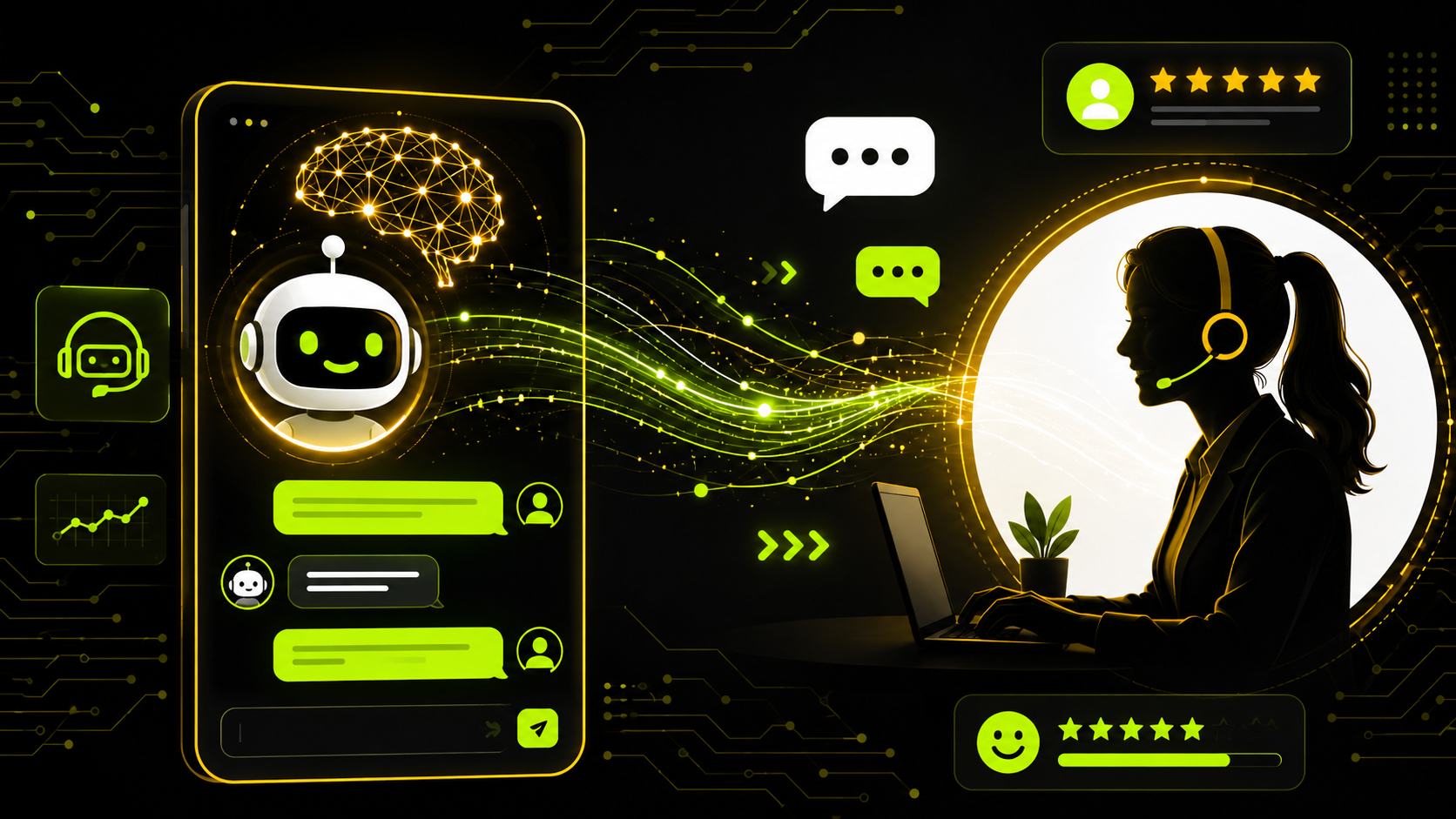
If your support inbox looks like a war zone every Monday morning hundreds of tickets, repetitive questions, and a team that’s already running on coffee and prayer you’re not alone. Customer expectations have skyrocketed, and keeping up with them manually is getting harder every year.
That’s where artificial intelligence in customer service comes in. And no, it’s not just a fancy chatbot that annoys people. Done right, AI transforms the way your team operates handling the repetitive stuff so your agents can focus on what actually requires a human touch.
In this guide, you’ll get a clear, honest look at how AI customer support works, what tools are worth your time, what pitfalls to avoid, and how to actually get started. No fluff. Just practical stuff.
What Is Artificial Intelligence in Customer Service?
At its core, AI in customer service means using intelligent software to handle customer interactions automatically, consistently, and at scale. We’re talking about tools that can answer questions, route tickets, analyze customer sentiment, and even predict issues before they happen.
But here’s the thing: it’s not about replacing your team. It’s about making them way more effective.
How AI Actually Understands Customers
The magic behind modern AI customer service tools is Natural Language Processing (NLP) the technology that lets machines understand human language in context. So when a customer types “I still haven’t gotten my refund and I’m really frustrated,” the AI doesn’t just scan for the word “refund.” It picks up on the frustration, understands the intent, and responds accordingly.
This is a massive leap from the clunky rule-based chatbots of the early 2010s that would respond to anything with “Sorry, I didn’t understand that.”
AI vs. Basic Automation – What’s the Difference?
Traditional automation is rigid. If X happens, do Y. It follows fixed rules.
AI is different it learns from patterns, adapts over time, and handles nuance. That’s why AI-powered customer support can manage complex, multi-turn conversations instead of just answering one-liners.
Key Benefits of AI in Customer Service
You’re not adopting AI because it sounds cool. You want real results. Here’s what it actually delivers:
24/7 Coverage Without Burning Out Your Team
Customers don’t care if it’s 3 AM on a holiday. They want help now. AI chatbots for customer service never sleep they handle after-hours inquiries, peak traffic seasons, and weekends without putting anyone on the overnight shift. Your human agents stay focused on complex issues during business hours, while AI holds down the fort the rest of the time.
Faster Response Times (Way Faster)
Response time is one of the top factors in customer satisfaction scores. AI delivers instant first responses no queue, no waiting. And even when it escalates to a human, it auto-fills context like issue type, customer history, and sentiment so your agent doesn’t have to dig through a 30-message thread before even saying hello.
Personalization at Scale
This is where AI gets genuinely impressive. AI customer service tools can pull up a customer’s purchase history, past support tickets, and behavior patterns in real-time and tailor the response to match. A long-term VIP customer gets a different (better) experience than a first-time visitor. That level of personalization used to require a team member with an excellent memory. Now AI handles it automatically.
Real Cost Savings
AI can realistically handle 60–80% of routine inquiries without human intervention. That means your team spends less time on “Where’s my order?” and more time on high-complexity, high-value interactions. Over time, that translates into significant cost reduction without sacrificing service quality.
Types of AI Tools Used in Customer Support
Not all AI tools are built the same. Here’s a breakdown of the main categories:
AI Chatbots and Virtual Assistants
The most recognizable form of AI in customer support. Modern AI chatbots handle live chat on websites, apps, and social media DMs using NLP to hold natural conversations rather than just serving canned FAQ responses.
Popular tools: Zendesk AI, Intercom, Tidio, Freshdesk, Drift
AI-Powered Ticketing Systems
These tools automatically categorize, prioritize, and route support tickets based on content and urgency. No more manager spending the first hour of every morning sorting emails. AI does it in seconds and puts the most critical issues in front of the right person immediately.
Sentiment Analysis Tools
Imagine knowing a customer is furious before your agent picks up the conversation. Sentiment analysis tools scan message tone identifying frustration, confusion, satisfaction and flag high-risk conversations for immediate human attention. This gives you the power to de-escalate before things go sideways.
Predictive Analytics
AI can also go on the offensive. Predictive tools analyze customer behavior patterns to anticipate problems like spotting which customers are likely to churn so your team can proactively reach out before it happens.
Real-World Examples of AI in Customer Service
Still abstract? Let’s make it concrete:
- E-commerce: A customer types “Where’s my package?” The AI pulls real-time tracking data and responds with the exact status no human needed.
- Banking & Finance: A suspicious transaction is flagged. An AI system immediately freezes the card, sends a verification prompt, and opens a case faster than any human team could process it.
- SaaS & Tech: A user has been stuck on a help page for 8 minutes. The AI proactively opens a chat: “Hey, looks like you might need help with this want me to walk you through it?” The customer never even had to ask.
These aren’t future projections. Companies are doing this right now and seeing measurable improvements in satisfaction scores and operational efficiency.
Pros and Cons of AI Customer Service
Let’s be real AI isn’t perfect. Here’s an honest breakdown:
✅ Advantages
- Available 24/7 with zero additional staffing cost
- Handles high ticket volumes without slowing down
- Delivers consistent responses no off days, no bad moods
- Scales effortlessly as your customer base grows
- Generates rich data on every customer interaction
❌ Challenges to Watch Out For
- Can struggle with complex, emotionally sensitive, or highly specific cases
- Requires proper training and ongoing maintenance to stay effective
- Customers get frustrated if there’s no clear path to a real human
- Initial setup costs can be significant for enterprise solutions
- Data privacy and security concerns need careful management
The bottom line? AI works best as a complement to your human team not a replacement for it. The hybrid model (AI + human) consistently outperforms either one alone.
Common Mistakes When Implementing AI in Customer Service
Here’s where a lot of teams go wrong:
1. Treating it as “set it and forget it” AI needs regular updates and retraining. If you deploy it once and never revisit it, it’ll start giving stale or inaccurate responses. Build a review cadence from day one.
2. No clear escalation path to a human Nothing frustrates customers more than being stuck in an AI loop with no way out. Your AI should know exactly when to hand off and do it smoothly. This is non-negotiable.
3. Ignoring the data Every AI interaction generates insights most common questions, drop-off points, pain areas. If you’re not analyzing this data regularly, you’re missing your biggest opportunity to improve.
4. Going live without testing Test thoroughly before launching. Have your team try to break it. Run edge cases. You’ll find gaps you never expected and it’s much better to catch them before your customers do.
5. Making the AI sound like a robot If your chatbot sounds like it was written by your legal department, customers will hate it. Give it a personality. Write responses the way a helpful, friendly human would actually speak.
Practical Tips for Getting Started
Ready to make a move? Here’s how to start without the overwhelm:
- Start with one use case. Don’t automate everything at once. Pick something high-volume and low-complexity like FAQ responses and nail that first.
- Choose tools that integrate with what you already use. Look for AI tools that plug into your existing helpdesk (Zendesk, Freshdesk, HubSpot, etc.) rather than forcing you to rebuild your stack.
- Train your AI on real conversations. Use actual past customer interactions not generic templates to teach the AI what a good response looks like in your context.
- Set clear handoff rules. Define exactly when and how the AI escalates to a human. Make sure the transition is seamless and the agent receives full context.
- Track the right metrics. Measure first response time, resolution rate, customer satisfaction score (CSAT), and AI containment rate before and after implementation. Let data guide your decisions.
- Bring your team along. Your customer service reps may be worried about job security. Be transparent show them concretely how AI takes over the tedious work and frees them for more meaningful interactions.
FAQ: Artificial Intelligence in Customer Service
Q1: What is artificial intelligence in customer service? AI in customer service refers to using technologies like chatbots, NLP, and predictive analytics to automate customer interactions, route tickets, and improve overall support efficiency while reducing the load on human agents.
Q2: Can AI fully replace human customer service agents? No and most experts recommend against trying. AI handles high-volume, repetitive tasks extremely well, but human agents remain essential for complex, emotional, or nuanced situations. A hybrid model (AI + human) delivers the best results.
Q3: What are the best AI tools for customer service in 2025? Top options include Zendesk AI, Intercom, Freshdesk AI, Salesforce Einstein, and Tidio. The best choice depends on your team size, existing tech stack, and specific support needs.
Q4: How does AI improve customer satisfaction scores? AI improves CSAT by delivering instant responses, ensuring 24/7 availability, personalizing interactions based on customer history, and maintaining consistent quality all of which directly impact how customers perceive your brand.
Q5: Is AI customer service expensive to implement? Costs range widely. Basic AI chatbots start at under $100/month for small teams. Enterprise-grade platforms can run into thousands per month. However, the ROI is typically strong when you factor in reduced staffing costs and higher efficiency.
Q6: How long does AI implementation take? A basic chatbot can be live in days to a few weeks. More complex integrations like sentiment analysis, predictive tools, or full AI ticketing systems typically take 1–3 months to deploy and fine-tune properly.
Conclusion
Artificial intelligence in customer service has moved well past the hype stage. It’s a real, practical tool that helps customer service teams and CX managers do more respond faster, stay consistent, and deliver experiences that actually build loyalty.
The smartest approach isn’t to go all-in overnight. Start small, choose tools that fit your workflow, train them well, and always keep a human available when it counts. When you do it right, AI doesn’t replace your team it gives them a real edge.
The companies investing in AI customer support today are building an advantage that will be very hard to catch up to later. Now’s the time to start.
Found this useful? Go ahead and bookmark this page you’ll probably want to reference it when you start comparing tools or building out your AI roadmap.
Got a fellow CX manager or team lead who’d find this helpful? Share it with them it’s a great starting point for the conversation about whether AI makes sense for your team.
And if you want to keep leveling up your customer experience game, check out our other guides on support automation, CX strategy, and team productivity. There’s a lot more good stuff waiting. 🚀


Leave a Reply