
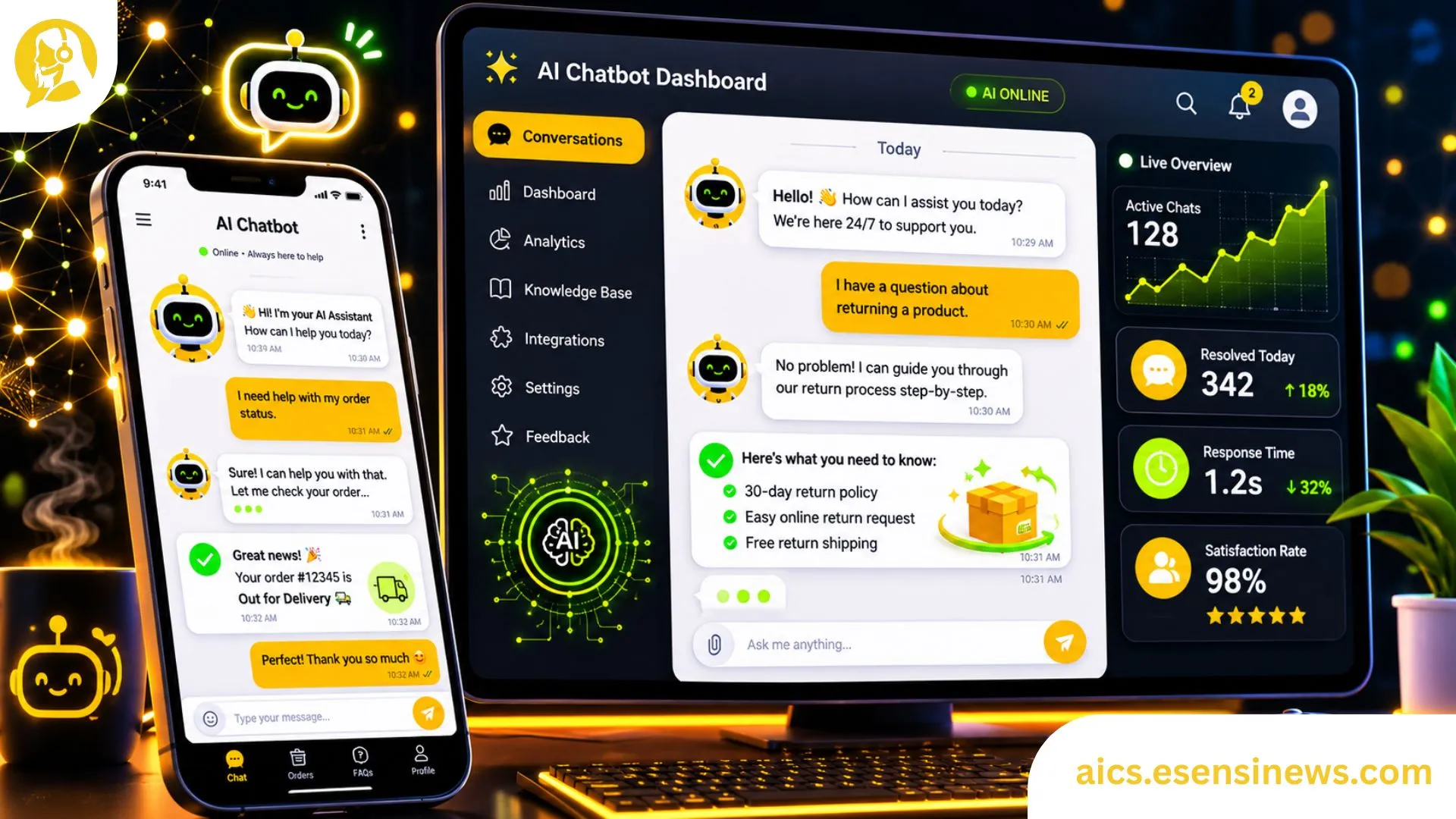
There’s a moment every support manager dreads it’s 2 AM, a critical payment fails for hundreds of users, and your three-person overnight team is already buried. Tickets pile up. CSAT scores drop in real time. An AI customer service chatbot doesn’t sleep, doesn’t panic, and doesn’t put anyone on hold for 40 minutes. That’s the pitch. But does the reality match?
Spoiler: mostly yes with some real caveats worth knowing before you spend $50K on an enterprise deployment. I’ve spent the better part of a decade testing, implementing, and occasionally cursing these tools. This article lays out what actually works, what’s overhyped, and what you should look for before signing any vendor contract.
The Evolution of Customer Service: From Human Agents to AI
Customer service used to mean a person usually underpaid, definitely overworked sitting in a call center reading from a script. That model worked fine when call volumes were manageable and customer expectations were low. Neither of those things is true anymore.
How We Got Here
Back in the early 2000s, Interactive Voice Response (IVR) systems were the big innovation. You know the type: “Press 1 for billing, press 2 for technical support, press 3 to question all your life choices.” IVR reduced agent workload, sure, but it also made customers irrationally angry. The technology was rigid. It couldn’t understand natural language. It certainly couldn’t apologize convincingly.
Then came live chat a genuine step forward. Agents could handle two or three conversations simultaneously instead of one phone call. Response times improved. Documentation got easier. But scaling live chat still meant hiring more people, and people are expensive.
By 2016, rule-based chatbots started showing up on e-commerce sites. These were essentially IVR in text form: decision trees with canned responses. “Did you mean: return policy?” No, Karen the chatbot, I didn’t mean that. I meant something way more specific.
The NLP Turning Point
The real shift happened around 2018–2020, when Natural Language Processing (NLP) models matured enough to actually understand context. Tools like BERT and later GPT-based architectures changed the game. Suddenly, chatbots could parse intent not just keywords. A user typing “my order hasn’t showed up” and “where is my package???” would both trigger the same relevant flow, even though the phrasing is completely different.
According to Gartner’s 2023 Customer Service Report, 85% of customer interactions will be handled without a human agent by 2025. That number felt aggressive when it was published. Right now, it feels about right.
The AI Contact Center space has exploded precisely because of this maturation. We’re not talking about fancy FAQ bots anymore we’re talking about systems that can process a refund, escalate a fraud case, schedule a callback, and send a follow-up email, all inside a single conversation thread.
How AI Chatbots Work: Understanding the Technology
If you’ve ever tried explaining “how Google works” to a skeptical relative, you know this is a task requiring both accuracy and patience. I’ll try to be useful without making your eyes glaze over.
The Core Architecture
An AI customer service chatbot typically has three layers working together:
1. Natural Language Understanding (NLU) This is the brain. The NLU layer takes raw user input messy, typo-ridden, emotionally charged text and extracts intent and entities. Intent: what does the user want? Entity: what specific details are relevant (order number, product name, date)?
2. Dialogue Management Think of this as the conversation planner. Once the chatbot knows what you want, the dialogue manager figures out what to do next. Does it need more info? Should it pull from a database? Is this a case where human handoff is the right call?
3. Natural Language Generation (NLG) This is the output layer how the chatbot phrases its response. Basic systems use templates. Advanced ones generate responses dynamically, which is why some chatbots feel eerily human while others feel like they’re reading from a 2009 FAQ page.
Machine Learning vs. Rule-Based: A Real Distinction
There’s a meaningful difference between rule-based bots and ML-powered ones, and it affects budget decisions significantly.
| Feature | Rule-Based Chatbot | ML-Powered AI Chatbot |
|---|---|---|
| Setup Cost | $500–$5,000 | $5,000–$50,000+ |
| Training Required | Minimal | Significant |
| Handles Ambiguity | Poorly | Well |
| Scales with Volume | Yes | Yes |
| Learns Over Time | No | Yes |
| Maintenance | Low | Moderate–High |
| Best For | FAQs, simple flows | Complex, dynamic support |
Real talk: if your support tickets are 90% “what are your store hours” and “do you offer free returns,” a rule-based bot may be all you need. Don’t buy a Ferrari to drive to the grocery store.
Benefits of Implementing AI Chatbots in Customer Service
24/7 Availability Actually Matters More Than You Think
I used to underestimate this one. But data from Intercom’s 2023 Customer Support Survey showed that 43% of customers expect responses outside of business hours. If you’re a SaaS company with users in multiple time zones, that’s not a nice-to-have. That’s table stakes.
An AI customer service chatbot handles off-hours inquiries without making your team work night shifts. That alone reduces burnout and turnover both of which cost money.
Cost Reduction (With Numbers, Not Vibes)
Drift published data showing that AI chatbots reduce customer service costs by an average of 30%. IBM puts the figure slightly higher, citing $1.3 trillion spent annually on customer service interactions globally, with AI potentially handling up to 80% of routine queries.
For context: a mid-market company handling 10,000 tickets/month at roughly $8/ticket (fully loaded agent cost) is spending $80,000/month. Deflect 40% of those with a chatbot at $0.50/interaction and you’re saving over $29,000/month. The ROI math is pretty hard to argue with.
Consistency Is Underrated
Human agents have bad days. They give conflicting information. They interpret policy differently. An AI chatbot gives the same answer every time which matters enormously for brand trust, especially in regulated industries like finance or healthcare.
“One of our biggest wins with our chatbot deployment wasn’t cost savings it was eliminating the policy inconsistency that was generating escalations.”
Support Operations Lead, mid-size fintech (shared in a Slack community, 2023)
CSAT and Resolution Speed
According to Salesforce’s State of Service report, AI-assisted agents resolve issues 40% faster than those working without AI tools. Chatbots that can instantly retrieve order history, account data, or knowledge base articles give customers answers in seconds instead of minutes.
Key Features to Look for in an AI Customer Service Chatbot
This is where most buying guides fail you they list every feature under the sun without telling you which ones actually matter. So let me break it down with some honest prioritization.
Must-Have Features
Omnichannel Support Your chatbot needs to work where your customers are website, mobile app, WhatsApp, Facebook Messenger, SMS. A bot that only works on your website is leaving massive coverage gaps.
CRM and Helpdesk Integration If the chatbot can’t talk to Salesforce, Zendesk, HubSpot, or whatever you’re using, it’s a dead end. The value is in pulling and pushing customer data in real time. Without integration, you’re just building a fancy FAQ widget.
Human Handoff (Graceful Escalation) This is non-negotiable. A chatbot that can’t hand off to a human when it’s stuck isn’t a support tool it’s a frustration machine. Good systems pass the full conversation transcript to the agent so the customer doesn’t have to repeat themselves.
Sentiment Detection Top-tier platforms analyze tone during the conversation. If a user’s language becomes increasingly frustrated (“THIS IS RIDICULOUS” tends to be a signal), the system can automatically escalate or flag for priority handling.
Analytics and Reporting Dashboard You need to know: resolution rate, deflection rate, average handling time, CSAT scores, most common intents, drop-off points. If the platform doesn’t offer granular reporting, you’re flying blind.
Nice-to-Have Features
- Multilingual support (critical if you have international customers)
- Voice-to-text capability for phone channel integration
- Proactive chat triggers (pop up when a user lingers on the pricing page)
- A/B testing for conversation flows
Top AI Customer Service Chatbot Platforms (2024)
| Platform | Starting Price/Month | NLP Quality | Integrations | Best For |
|---|---|---|---|---|
| Intercom Fin | $39/seat + usage | ★★★★★ | 300+ | SaaS, tech startups |
| Zendesk AI | $55/agent | ★★★★☆ | 1,000+ | Mid-market, enterprise |
| Freshdesk Freddy | $29/agent | ★★★★☆ | 650+ | SMBs |
| Salesforce Einstein | Custom pricing | ★★★★★ | Native CRM | Enterprise |
| Tidio AI | $19/month | ★★★☆☆ | 120+ | E-commerce, small biz |
| Drift | Custom pricing | ★★★★☆ | 500+ | B2B sales-focused |
Pricing as of Q1 2024. Always verify directly with vendors these move frequently.
Real-World Examples: Successful Implementation of AI Chatbots
E-Commerce: Reducing Returns-Related Load
A mid-size fashion retailer (they asked to remain unnamed, but you’d recognize the brand) was handling roughly 12,000 tickets/month with 35% of those being return/exchange inquiries. They deployed an AI customer service chatbot integrated with their OMS (Order Management System).
Result after 90 days:
- 67% of return inquiries handled end-to-end by the bot
- Average resolution time dropped from 6 hours to 4 minutes
- CSAT for bot-handled tickets: 4.1/5 (versus 4.3/5 for human-handled close enough to be acceptable)
Banking: Fraud Alerts and Account Inquiries
A regional bank deployed conversational AI to handle balance inquiries, transaction disputes, and card freeze requests. Because fraud disputes are time-sensitive, speed mattered enormously.
Key win: The chatbot integrated with their fraud detection system and could freeze a compromised card in under 30 seconds without a human in the loop. During off-hours, this used to mean a call center wait of 20+ minutes.
SaaS: Onboarding and Technical Support
Check out the resources at AICS they document multiple case studies where SaaS companies used AI chatbots specifically for onboarding flows. The pattern is consistent: new users asking the same 15 questions over and over get instant answers, and human agents get to focus on genuinely complex technical issues.
Overcoming Challenges: Common Misconceptions About AI Chatbots
✅ “AI chatbots will replace all human agents” Nope. The more accurate picture: bots handle tier-1, repetitive inquiries (which can be 60–70% of volume), freeing agents for complex cases that actually require empathy, judgment, and problem-solving. The best deployments treat AI as a force multiplier, not a headcount eliminator.
✅ “Implementation is quick and painless” Honestly? No. A proper enterprise chatbot deployment takes 3–6 months of setup, training, integration, and testing. Anyone who tells you otherwise is selling something.
❌ “Customers hate chatbots” Customers hate bad chatbots. A 2023 Tidio survey found that 62% of consumers would prefer a chatbot over waiting 15+ minutes for a human agent. The bar isn’t “love the bot” it’s “solve my problem fast.”
❌ “Once deployed, chatbots run themselves” Ongoing maintenance is real. Intent models drift, new product launches create new query types, and policies change. Plan for quarterly reviews at minimum, and assign someone internally to own the chatbot’s performance.
❌ “Multilingual is just a translation layer” Real multilingual support requires training separate models or using platforms with built-in multilingual NLP. Just running Spanish text through a bot trained on English data produces embarrassing results. Ask me how I know.
Future Trends in AI Customer Service Technology
Generative AI Integration (The GPT Effect)
Large Language Models (LLMs) are changing what chatbots can do. Instead of pulling from a pre-written knowledge base, next-gen bots can synthesize answers from multiple sources dynamically. Intercom’s Fin product is already doing this it reads your help docs and generates responses on the fly.
The risk? Hallucination. LLMs can confidently give wrong answers. The smart vendors are building guardrails: limiting generative responses to vetted content, adding confidence thresholds, and routing low-confidence outputs to humans.
Voice AI and Phone Channel Integration
The phone channel isn’t dead it’s evolving. AI voice agents (think: Amazon Lex, Google CCAI, Nuance) are getting good enough that customers sometimes don’t realize they’re talking to a machine. By 2026, Juniper Research estimates that voice chatbots will handle 8 billion interactions annually.
Proactive Support (Before the Ticket Exists)
The next evolution isn’t just answering questions it’s preventing them. AI systems that monitor user behavior, detect friction in real time (someone clicking the same button 5 times, maybe?), and proactively offer help before a support request is even created. This is where the real CX differentiation will happen.
Emotion AI
Sentiment analysis is table stakes. What’s coming is emotion AI systems that detect frustration, confusion, or urgency from writing patterns, response time, and even punctuation density. “THIS DOESN’T WORK!!!” reads very differently from “this doesn’t work.” Future systems will adapt the conversation tone accordingly.
Best Practices for Integrating Chatbots into Your Support Strategy
Start Small, Prove Value Fast
Don’t try to automate everything on day one. Pick your highest-volume, lowest-complexity intent for most companies, that’s “where is my order” or “how do I reset my password.” Build a bot for that one flow. Measure it. Prove ROI internally. Then expand.
Build Your Escalation Matrix First
Before you build a single conversation flow, define: what types of issues should never be handled by the bot? Sensitive situations death of a relative affecting an account, fraud victim cases, serious medical contexts should have clear routing to human agents immediately. Define these upfront.
Train on Real Data, Not Imagined Data
One of the most common deployment mistakes: building intent models on what you think customers will say, not what they actually say. Pull 3–6 months of historical tickets and let your NLP team analyze the real intent distribution. Your chatbot will be dramatically more accurate.
Create a Feedback Loop
Resolved tickets create training data. Escalations expose areas that need attention. Customer feedback, including “that didn’t help” clicks, helps refine the system over time. Build systems to capture that feedback and review it monthly. The chatbots that improve are the ones that have people actively learning from them.
Communicate Clearly That It’s a Bot
Don’t pretend your chatbot is a human named “Alex.” Customers figure it out, and when they do, they feel deceived. Most users are fine interacting with a bot just be upfront about it. “Hi, I’m AICS’s support bot. I can help with orders, returns, and billing. What’s up?” That framing sets appropriate expectations and actually reduces frustration.
Pro & Cons Summary
✅ Pros
- Available 24/7 without overtime costs
- Handles high ticket volume without degradation
- Consistent policy enforcement across all conversations
- Reduces average handling time by 40–60%
- Generates detailed analytics human agents can’t easily provide
- Integrates with CRM, helpdesk, and payment systems
- Scales instantly during peak seasons
❌ Cons
- Initial setup costs can be significant ($5K–$50K+ for enterprise)
- Requires ongoing maintenance and retraining
- Struggles with highly emotional or nuanced cases
- Hallucination risk with LLM-based responses
- Poorly implemented bots actively damage customer satisfaction
- Integration complexity can delay deployment by weeks
- Language/dialect gaps in multilingual support can be embarrassing
FAQ: AI Customer Service Chatbots
Q1: How much does an AI customer service chatbot actually cost?
The range is wide. Basic tools like Tidio or ManyChat start at $19–$49/month and work fine for small businesses with limited needs. Mid-market platforms like Freshdesk Freddy or Intercom run $29–$100/agent/month. Enterprise deployments with Salesforce Einstein or custom-built NLP solutions can run $50,000–$200,000+ for initial implementation, plus ongoing licensing and maintenance. Your ROI calculation should weigh ticket deflection savings against total cost of ownership.
Q2: Can a chatbot handle angry or upset customers?
With good sentiment detection and smart escalation logic yes, it can identify them and route them appropriately. But handling a deeply upset customer with empathy and nuance? That’s still a human skill. Smart deployments use the bot to flag emotional escalation and immediately transfer to a senior agent with full conversation context. Don’t make your chatbot the thing standing between a furious customer and a human who can actually help.
Q3: How long does implementation take?
Realistically: 6–16 weeks for a production-ready deployment. That includes platform selection, integration with CRM/helpdesk, conversation flow design, NLU training, QA testing, and a soft launch with limited traffic. Vendors who promise “live in 24 hours” are selling you a templated FAQ widget, not a real AI support solution.
Q4: Will AI chatbots hurt my CSAT scores?
Only if implemented poorly. Research from Salesforce shows that well-implemented AI tools can improve CSAT by 10–15% by reducing wait times and providing instant, accurate responses. The key variable is resolution rate if the bot actually solves problems, customers are happy. If it just deflects and confuses, scores tank. Measure resolution rate obsessively.
Conclusion: Your Next Move in AI-Powered Support
Here’s the honest take: AI customer service chatbots are not magic. They’re powerful, high-ROI tools when deployed thoughtfully and expensive, brand-damaging mistakes when rushed.
The companies getting real value from this technology share a few traits: they start focused, they invest in proper setup and training, they measure relentlessly, and they treat the chatbot as a living system that needs ongoing attention. They also never lose sight of the human element the bot handles volume, people handle complexity.
If you’re evaluating options right now, start with your ticket data. What are the top 10 intents in your support queue? How many tickets do they account for? If the top 3 intents cover 50%+ of volume, you have a clear starting point for automation.
Want a deeper look at how AI is transforming contact centers specifically? The team at AICS has put together detailed breakdowns of real deployments across industries — worth bookmarking if you’re making this decision in the next quarter.
The future of customer support isn’t humans vs. bots. It’s humans and bots, each doing what they’re actually good at. Set that up right, and both your team and your customers will notice.
This article reflects information current as of June 2026. Pricing and platform features change frequently always verify directly with vendors before making purchasing decisions.


Leave a Reply